What's included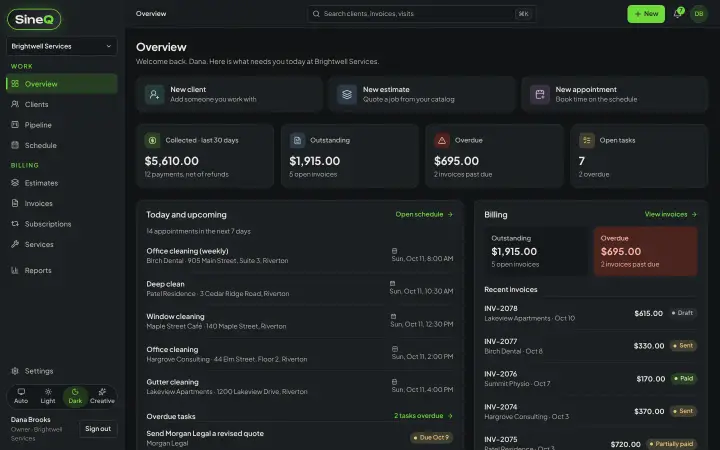
Everything that's included.
Here's the full toolbox, area by area. Sign up free and it's all there from day one.
Clients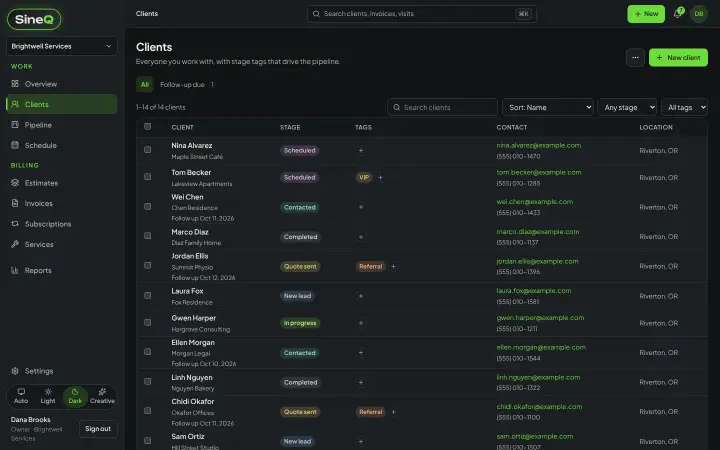
Every client, known cold.
Open any name and the whole relationship is right there.
- Contact details, notes, what they owe and their full history on one page
- Pipeline board that moves clients along as they're quoted, booked and paid
- Tags and saved filters
- Quick search across clients, quotes, invoices and tasksCtrl or ⌘ K from anywhere
- Import a spreadsheet (CSV)Preview errors and duplicates first. Undo the last import.
- Duplicate finder and merge
Quotes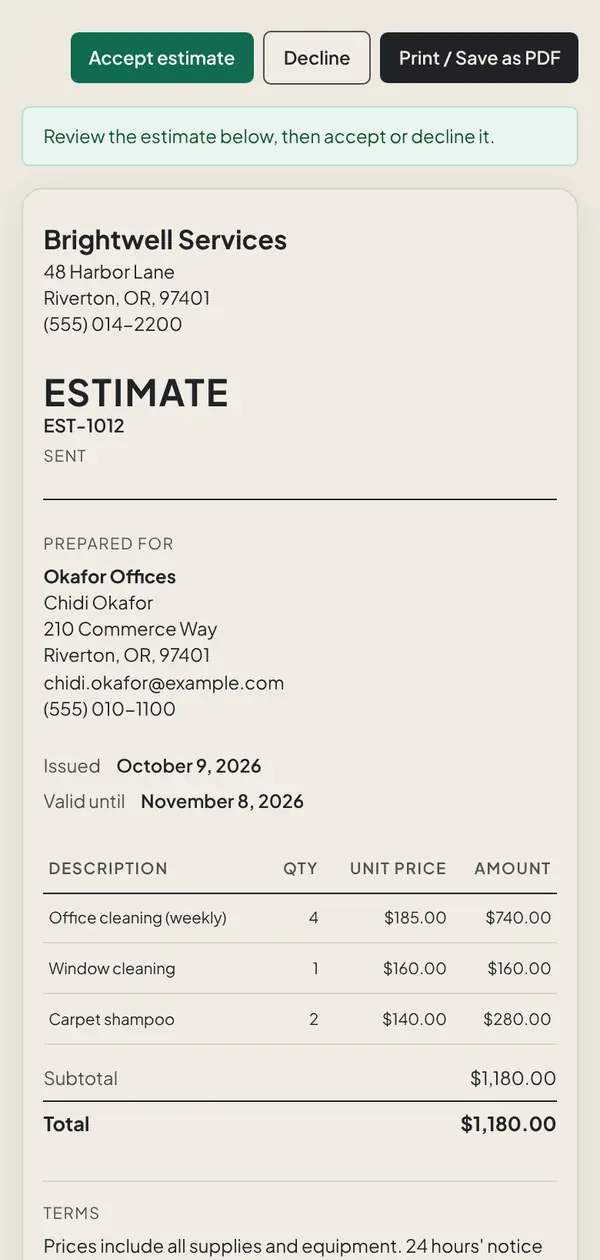
Quotes that win the job.
Priced in a minute, accepted from the client's phone.
- Build quotes from your own service list
- Discounts, tax and an optional deposit
- Client clicks Accept or Decline from the emailNo login needed
- Accepted quote becomes an invoice in one click, deposit included
- Print or save any quote as a PDF
- Your logo on every quote
Invoices & payments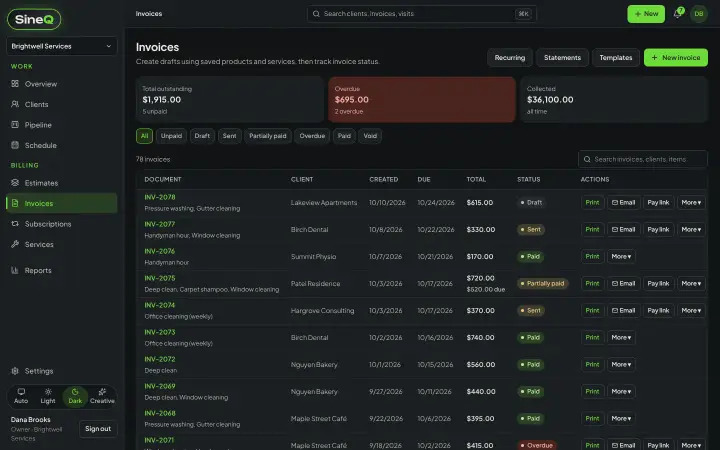
Get paid faster. Chase less.
Set up Stripe once. Then getting paid is a tap on a link.
- Card payment link on every invoiceStripe is set up once, and payments go to your business's own Stripe account
- SinQ never sees or stores card numbers
- Deposits first, then the balance
- Draft, Sent, Partially paid, Paid and Overdue at a glance
- Unpaid invoices marked overdue automatically
- Up to three reminder emails sent for youSend one yourself too, up to once a day
- Cash, check and bank transfers recorded by hand
- Client statements with aging
- USD, CAD, GBP, EUR and AUD
Recurring work
Recurring revenue that actually recurs.
Book it once. It keeps rolling.
- Appointments that repeat weekly, every two weeks or monthly
- Recurring invoices created on scheduleEmailed automatically if you choose
- Monthly or yearly plans charged to the client's card
Schedule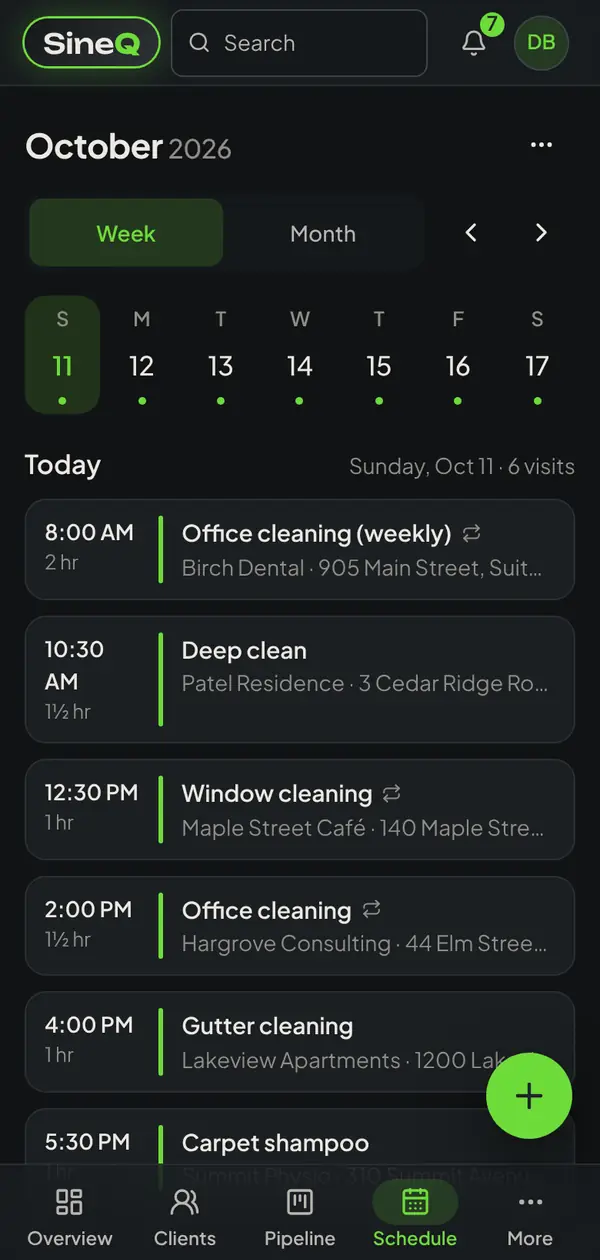
Your whole week, in your pocket.
Today, this month, and the calendar you already use.
- List, month calendar and a Today view
- A private link puts your appointments in Google, Apple or Outlook calendar
- Tasks with priority, repeats and an assignee
- Appointment reminder emails to clients with one button
Team & security
Grow the team. Keep control.
Staff get what they need. You keep the money and settings.
- Invite people by email
- Owner, admin and member roles
- Two-step sign-in
- A log of who changed what
- The owner can download all your data at any time
Reports & extras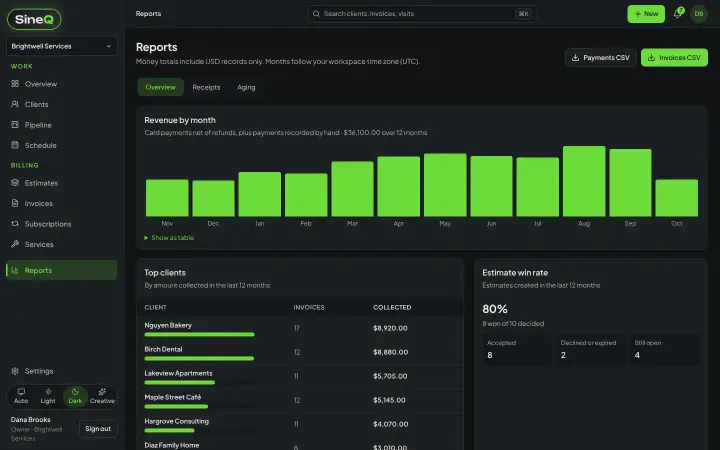
The rest of the toolbox.
The small things you'll use every day.
- Revenue and win-rate reports
- Spreadsheet (CSV) export of client lists and reports
- Editable email templates
- Your logo on invoices and emails
- Installs to your phone's home screenThere isn't an App Store app
- Light and dark mode
- Free to sign up, no card neededLoad a sample business, remove it with one button
INV-1049 · Okafor OfficesDue Oct 22
$245.00
Office deep clean · Window cleaning
Card payment$245.00
✓ Paid to your Stripe account
Send a quote in the next ten minutes.
Sign up free, bring your client list over or load the sample business, and see what running the whole thing from one app feels like. No card to start.