Mow. Invoice. Get paid. Repeat.
The whole season on rails: weekly routes in mowing order, monthly invoices built from completed mows, autopay for the regulars — and one switch when the snow comes. Built for lawn care pros who'd rather be doing the work.
No card needed · Card payments by Stripe · USD, CAD, GBP, EUR, AUD
$4,860
The lawn edition, included.
Grounds is SinQ with lawn & landscape built in — same app, same account, tuned for crews that mow for a living.
- ☼ Growing season
- ❄ Snow season
- one toggle swaps mowing ↔ plowing presets
Lawn presets, day one
Weekly mow, edging, cleanups, aeration and plowing are set up as services before your first client is in.
Routes in mowing order
Today shows your stops in the order you drive them — mark each one Mowed and the month's invoice builds itself.
One switch for winter
Flip Growing season to Snow season and mowing presets step back for plowing. Nothing is deleted; flip it back in spring.
Start free with the lawn edition
Built on SinQ — same accounts, same pricing, Grounds included with the Crew plan.
Win the job. Keep the client. Get paid. Then do it again on repeat.
Quotes, scheduling, invoicing and card payments in one app, on your phone or your laptop. No more juggling a notebook, a spreadsheet and a payment app.
- 01 / winWin more workQuotes that look sharp and get a yes from the client's phone.
- 02 / paidGet paid fasterA pay link on every invoice, and reminders that chase for you.
- 03 / repeatRun on repeatRegulars booked once, invoiced on schedule, monthly plans on autopay.
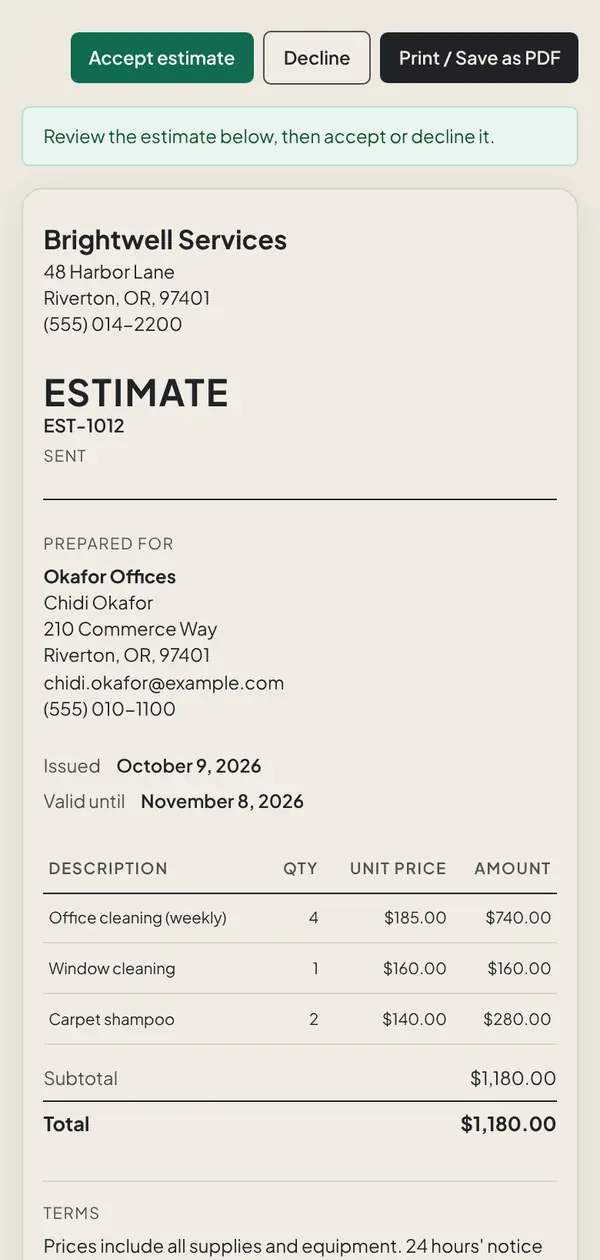
- Step 01 · Quote
Send a quote that closes while you're still in the driveway.
Pick from your service list and hit send. The client opens it on their phone and taps Accept. No account to make, nothing to print.
- Step 02 · Invoice
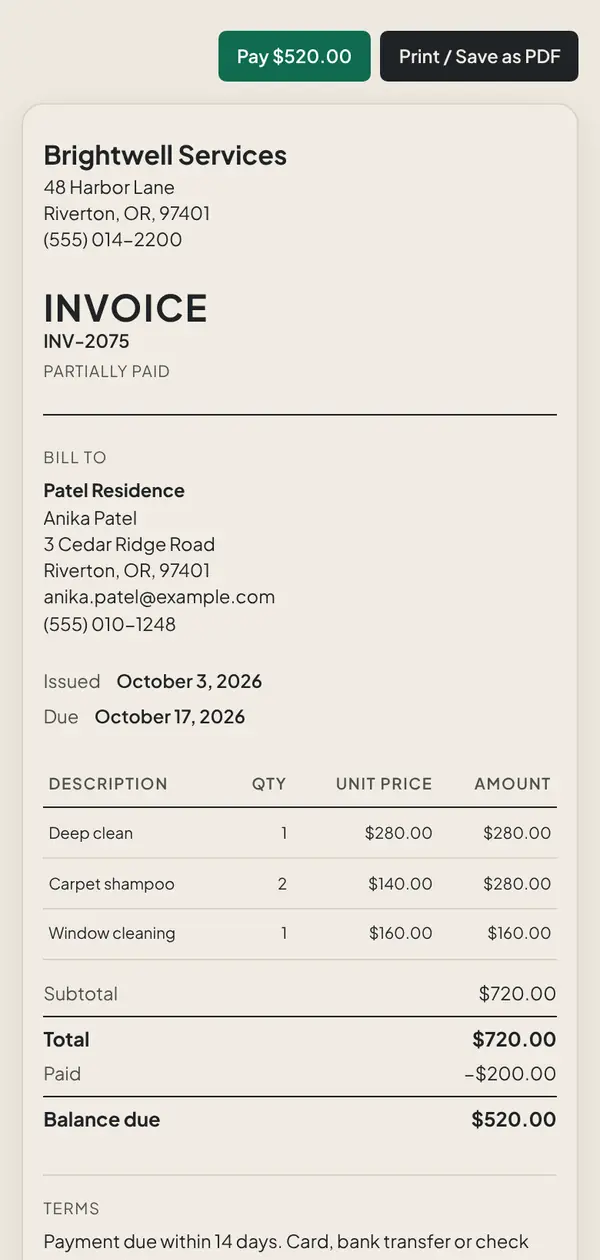
Yes becomes an invoice in one click.
The numbers carry straight over. Take the deposit up front, collect the balance when the job's done. Nothing to retype.
- Step 03 · Repeat
Book your regulars once. Then stop thinking about them.
Weekly, every two weeks or monthly. The visits show up on your schedule, recurring invoices go out on time, and monthly plans charge the client's card.
MonRiveraNguyenTueHill StPatelWedWindowsThuLakeviewFriMove-outSatRiveraSun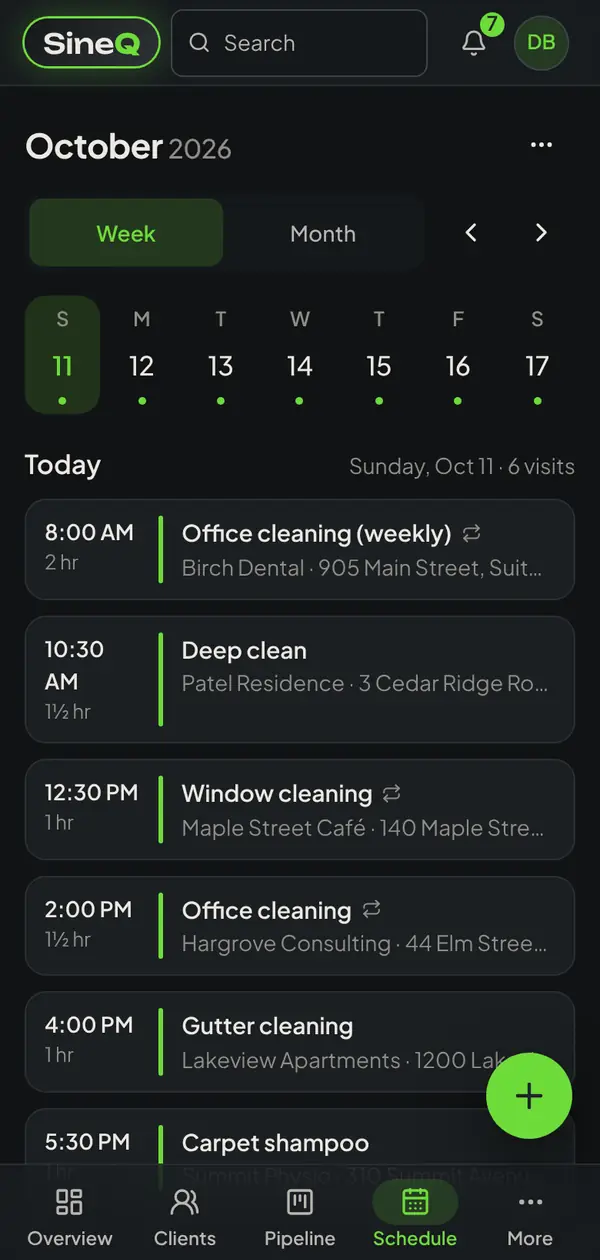
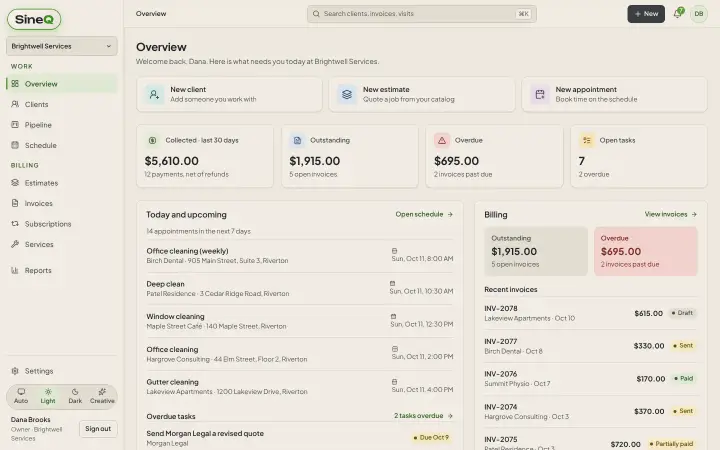
The desk and the truck. Same app.
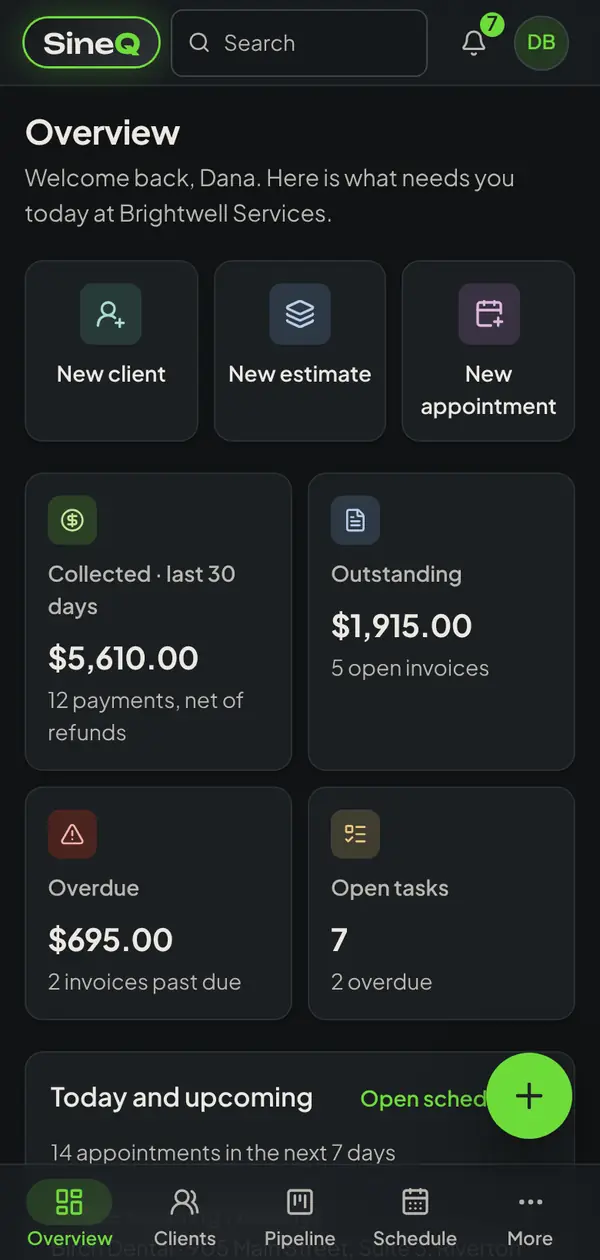
Plan the week on a laptop. Run the day from your phone. Everything stays in sync because it's the same account.
- Adds to your phone's home screen like an app, no App Store needed
- A layout made for small screens, with a bottom bar for your thumb
- Light mode for the office, dark mode for the cab
Send a quote in the next ten minutes.
Sign up free, bring your client list over or load the sample business, and see what running the whole thing from one app feels like. No card to start.